
Answer
Sometimes it is necessary to hide one or more of the possible answers (also known as "retire a choice" or "retire an option"). This prevents an answer from being used in the future, but does not delete it from existing records.
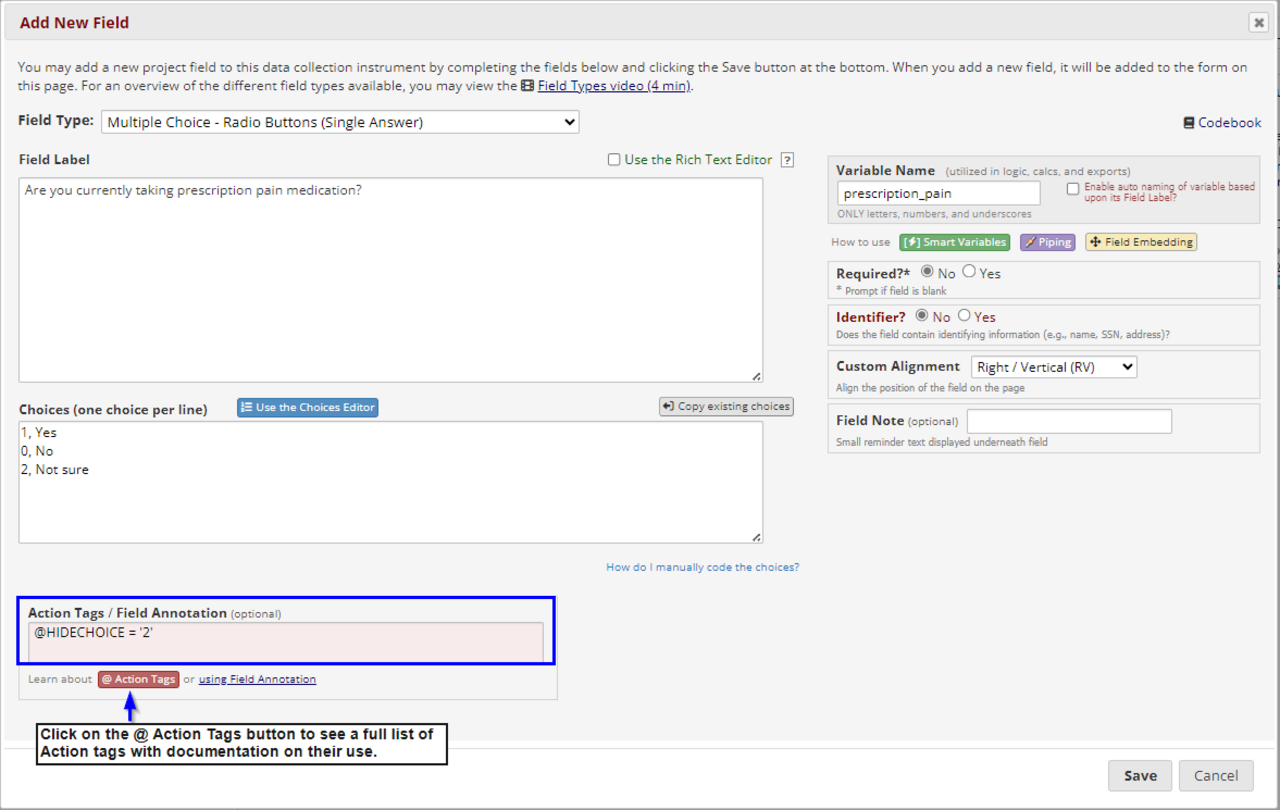
To do this, add @HIDECHOICE= 'n' in the Action Tags box, where n is the raw value, also called the choice number, of the answer to hide. To hide several choices, use a comma separated list, such as: @HIDECHOICE='1,2' to hide options 1 and 2.
The screenshot below demonstrates using the @HIDECHOICE Action Tag to hide the "Not sure" option from new users or survey participants, limiting their choices to "Yes" or "No". Records marked "Not sure" in the past will keep that answer.