The list below is an abridged version of the REDCap Change Log Summary for the update to the LTS 16.0..x branch, focusing on the end user impact at BILH.
- New feature: Form-level "Delete" Rights - Users...


The list below is an abridged version of the REDCap Change Log Summary for the update to the LTS 16.0..x branch, focusing on the end user impact at BILH.
Clinical Data Pull (CDP) allows a REDCap project to pull structured patient data directly from Epic into the project. This eliminates the need for manual data transcription or repeated uploads. The...
A new version of REDCap will be implemented in early fall 2026 that will improve the CDIS field-mapping process. Please check back after this upgrade for updated directions.
To pull data from Epic into...
The list below is an abridged version of the REDCap Change Log Summary for the LTS 15.5.x branch, focusing on the end user impact at BILH.
Newly available in REDCap version 15: Descriptive Popups! Descriptive popups are small pop-up boxes of text that become visible when hovering the mouse over a specific word or phrase on a data entry...
The list below is an abridged version of the REDCap Change Log Summary for the LTS 15.0.x branch, focusing on the end user impact at BILH.
1. Randomization: Randomization has gone through a number of...
The list below is an abridged version of the REDCap Change Log Summary for the LTS 14.5.x branch, focusing on the end user impact at BILH.
1. Improvements to the Online Designer:
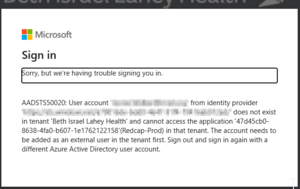
Many organizations use Microsoft Azure Active Directory/Entra to centrally manage their users, so that users only have to remember one password, and can use that to log in to multiple applications...
Though REDCap has safeguards in place to protect against data loss from disasters and mistakes, backups provide an additional layer of security and are a best practice. If the data is downloaded, be...
